
Serverless Architecture vs Traditional Hosting: Pros, Cons, and SEO Impacts
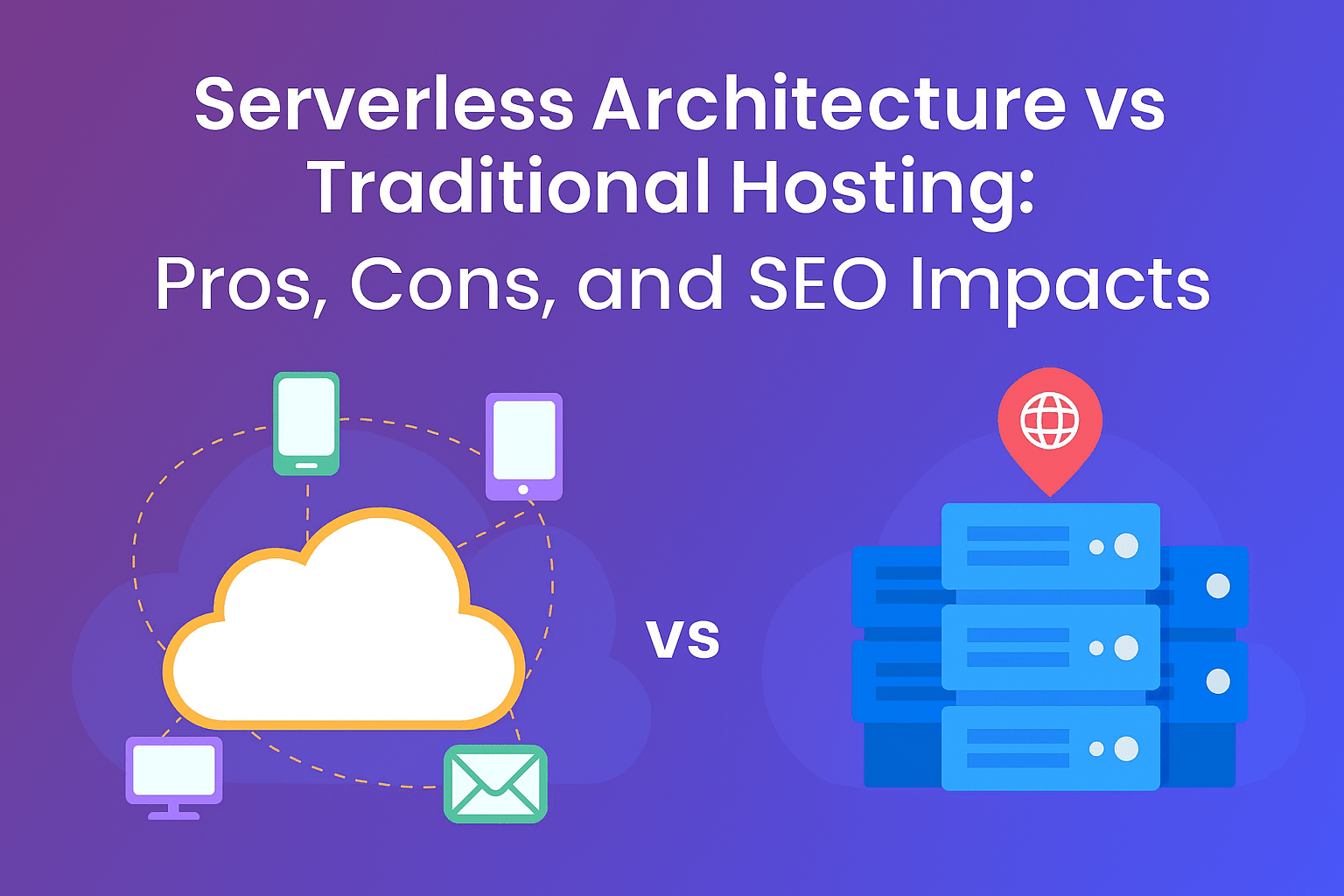
In the rapidly evolving digital landscape, Serverless Architecture vs Traditional Hosting is a debate that matters more than ever. Whether you’re a startup founder, a CTO, or a developer architecting your next application, choosing the right hosting model can affect your cost, scalability, performance, and even your SEO. In this article, we explore the pros and cons of both approaches and analyze their impact on search engine optimization (SEO). We also delve into technical trade‑offs, maintenance overheads, and future‑proofing your infrastructure.
What Is Serverless Architecture?
Serverless architecture is a cloud‑computing execution model where the cloud provider dynamically manages the allocation and provisioning of servers. With serverless, you write functions or microservices (for example, AWS Lambda, Google Cloud Functions, or Azure Functions). You pay only for the compute time you use when your code is running, rather than paying for always-on servers.
The benefits of serverless computing include automatic scaling, reduced operational burden, and cost-efficiency — especially for unpredictable workloads. It is often used for event-driven patterns, APIs, background tasks, or real-time data processing.
What Is Traditional Hosting?
Traditional hosting refers to the long-established model where you rent or buy server capacity: shared hosting, virtual private servers (VPS), or dedicated servers. In this paradigm, you manage the operating system, runtime, and sometimes even parts of the hardware, depending on your level of control. You pay a fixed fee—monthly or annually—for server resources, whether you fully utilize them or not.
Traditional hosting has been around for decades and is well understood. It offers predictability, control, and sometimes lower latency when properly configured.
Serverless Architecture vs Traditional Hosting: Key Differences
When comparing Serverless Architecture vs Traditional Hosting, it’s helpful to break down several dimensions: cost, scalability, performance, security, maintenance, and developer productivity.
Cost Efficiency
-
Serverless: You pay only when your code runs. This “pay-as-you-go” model can drastically reduce cost for spiky or event-driven workloads. There is no need to pay for idle capacity.
-
Traditional Hosting: You pay for allocated resources—RAM, CPU, storage—even if they remain underutilized. Predictable traffic may justify this expense, but for unpredictable load, it may lead to wasted money.
Scalability
-
Serverless: Automatically scales with demand. When traffic spikes, the platform spins up more function instances; when traffic drops, it scales down to zero.
-
Traditional Hosting: Scaling typically requires manual intervention, load balancers, or auto-scaling groups. Scaling is possible, but less granular, and sometimes slower or costlier.
Performance and Latency
-
Serverless: Cold starts can introduce latency. The first request to a function that hasn’t run recently may be slower. However, once warm, performance can be excellent.
-
Traditional Hosting: Always-on servers provide consistent performance. There are no cold-start delays, but under heavy load, performance can degrade unless scaled appropriately.
Maintenance and Operational Burden
-
Serverless: Lower maintenance because the cloud provider handles patching, provisioning, and infrastructure management. You focus on code.
-
Traditional Hosting: Higher operational overhead. You manage OS updates, runtime environments, capacity planning, and more.
Security
-
Serverless: The cloud provider secures the underlying infrastructure. However, you still need to manage security at the function level—authentication, input validation, least privilege, and secure configuration.
-
Traditional Hosting: You have more control over security configuration, firewalls, and server hardening. But with control comes responsibility: you must ensure updates, patches, and audits.
Developer Productivity
-
Serverless: Developers can move faster because they deploy small functions. It supports microservices, modular design, and event-driven architectures.
-
Traditional Hosting: Developers may need to manage monolithic applications, configure servers, and deal with infrastructure concerns more directly.
Pros and Cons
Here we summarize the pros and cons of both models in a detailed comparison.
Pros of Serverless Architecture
-
Cost-Effective: Pay only for execution time, reducing wasted resources.
-
Automatic Scaling: Handles variable workloads without manual effort.
-
Reduced Ops Overhead: No need to manage servers, updates, or capacity.
-
Faster Development Cycles: Focus on business logic rather than infrastructure.
-
Built-in High Availability: Most serverless platforms distribute functions across multiple zones.
-
Event-Driven Architecture: Ideal for microservices, real‑time processing, and asynchronous tasks.
Cons of Serverless Architecture
-
Cold Start Latency: Functions may take longer to respond if idle.
-
Vendor Lock-in: You might be tied to specific cloud platform tools and APIs.
-
Limited Long-Running Tasks: Functions typically have maximum execution duration limits.
-
Debugging & Monitoring Complexity: Distributed functions make tracing and debugging more challenging.
-
Resource Constraints: Functions often have limits on memory, CPU, and concurrent executions.
Pros of Traditional Hosting
-
Predictable Performance: Continuous server uptime offers consistent latency.
-
Full Control: Complete control over the operating system, runtime, configuration, and environment.
-
Flexibility: Supports any software stack, background tasks, or long-running processes.
-
Mature Tooling: Rich ecosystem for server management, logging, monitoring, and backup.
-
Fewer Vendor Constraints: Easier to migrate between providers or run on-premises.
Cons of Traditional Hosting
-
Underutilized Resources: Paying for fixed resources may lead to inefficiency.
-
Complex Scaling: Requires manual setup for auto-scaling or load balancing.
-
Operational Overhead: Requires maintenance of servers, security patching, and capacity planning.
-
Higher Costs for Peak Load: If you size for peak traffic, costs may skyrocket.
-
Longer Time to Market: Setting up infrastructure can slow deployments and iterations.
SEO Impact: How Architecture Affects Search Rankings
Choosing between Serverless Architecture vs Traditional Hosting can have indirect but real consequences for your SEO. While Google doesn’t rank based on your hosting model per se, performance, uptime, and user experience—all impacted by your architecture—are key ranking factors.
Page Speed and Core Web Vitals
-
Performance Influence: Faster response times, low latency, and consistent performance contribute to better Core Web Vitals (Largest Contentful Paint, First Input Delay, Cumulative Layout Shift). A serverless setup, when well-architected, can outperform traditional hosting for spiky workloads.
-
Cold Start Risk: However, cold starts could hurt initial load times for infrequently used functions, potentially hurting time-to-first-byte (TTFB).
-
Traditional Hosting Advantage: Always-on servers eliminate cold start issues, and with proper caching and CDN, they can deliver excellent page speed.
Uptime and Reliability
-
Serverless Uptime: Cloud providers usually provide high SLAs and replicate functions across multiple zones, ensuring reliability.
-
Hosting Downtime: Traditional hosting, if not architected with redundancy, can suffer more downtime. Downtime directly impacts crawl frequency, index freshness, and user trust.
Scalability Under Load
-
High Traffic SEO Gains: If your website or application experiences sudden surges (e.g., viral traffic), a serverless architecture can seamlessly scale, ensuring pages remain accessible and fast — beneficial for SEO.
-
Traditional Hosting Risks: Without preconfigured scaling, traditional hosting may struggle under load, leading to slow responses or site crashes, which can harm SEO metrics.
Geographical Latency
-
Serverless Edge Functions / Functions-as-a-Service (FaaS): Some providers offer edge locations or global functions. Serving content closer to the user reduces latency, improving user experience and SEO.
-
Traditional Hosting: Depending on provider, you might need to deploy servers in multiple regions or use CDNs for geographic distribution.
Maintenance and Security
-
Regular Patching: In traditional hosting, if you neglect security patches, performance may degrade, or site can become compromised, hurting search rankings.
-
Serverless Managed Infrastructure: The cloud provider handles a lot of the underlying maintenance, reducing risk of security misconfigurations and giving you a more secure baseline — which indirectly supports SEO by ensuring site integrity.
Developer Agility and Content Updates
-
Serverless Benefits: With serverless, developers can deploy features or content faster. Faster iterations mean SEO-related changes (like metadata, markup, content structure) can be made rapidly, improving search optimization.
-
Traditional Hosting Slowdowns: Longer release cycles and more operational burden might slow down SEO-driven deployments.
Use Cases: When to Choose Serverless vs Traditional Hosting
To determine which model suits your needs, evaluating your use case is essential. Below are scenarios that favor one architecture over the other.
When Serverless Architecture Is Ideal
-
Variable or Burst Traffic: Applications that see unpredictable spikes (e.g., flash sales, event-driven systems).
-
Microservices / APIs: Lightweight functions handling API endpoints or backend logic.
-
Real-Time Processing: For use cases like chat, streaming data, or IoT events.
-
Background Jobs: Asynchronous tasks, cron jobs, image or data transformations.
-
Startups / MVP: When minimizing upfront infrastructure cost is a priority.
When Traditional Hosting Is Preferred
-
Consistent, High Traffic: Websites or applications with stable, predictable load where fixed capacity makes economic sense.
-
Legacy Applications: Monolithic applications or systems that require sustained compute and long-running processes.
-
Compliance & Control: When strict data governance, special OS-level configurations, or custom networking is needed.
-
Low Latency Requirements: Applications where cold start latency is unacceptable.
-
On-Premises or Hybrid Scenarios: When you want full control over your hardware or need to run in your own data center.
Cloud‑Native Architecture Differences and Future Trends
A key part of understanding Serverless Architecture vs Traditional Hosting lies in appreciating cloud-native architecture differences and how modern systems are evolving.
-
Microservices vs Monoliths: Serverless strongly aligns with microservices: many small independent functions. Traditional hosting often runs monolithic apps or large containers.
-
Containers & Kubernetes: While not purely serverless, containerized environments (e.g., Kubernetes) blur the line. You can run containers with auto-scaling, combining control from traditional hosting with elasticity.
-
Edge Computing: Edge functions push serverless even closer to end-users geographically. This helps reduce latency and supports better SEO experiences via faster content delivery.
-
Hybrid Models: Many organizations adopt a hybrid model: they run core services on dedicated servers while using serverless for bursty workloads, background tasks, or microservices.
-
Function-as-a-Service (FaaS) + Backend-as-a-Service (BaaS): Serverless evolves beyond just functions – integrated services like managed databases, auth, messaging make applications truly serverless.
Security and Compliance Considerations
Security is a critical concern in both serverless architecture and traditional hosting. Here’s a detailed breakdown.
Serverless Security
-
Least Privilege: Each function should run with minimal permissions. Avoid granting broad access.
-
Input Validation: Functions exposed via API must validate all input to prevent injection attacks.
-
Secure Dependencies: Because functions often rely on third-party libraries, you must manage vulnerabilities in dependencies.
-
Monitoring & Logging: Use centralized tracing and logging to debug distributed functions.
-
Vendor Compliance: Rely on cloud provider’s compliance certifications (e.g., GDPR, HIPAA) but validate them for your use case.
Traditional Hosting Security
-
Patch Management: Regular OS/software updates are critical.
-
Network Configuration: Firewalls, VPNs, and private networks can restrict access.
-
Server Hardening: Disable unnecessary services, follow security best practices.
-
Backups & Disaster Recovery: Maintain redundant backups, make sure recovery processes are tested.
-
Compliance Control: Since you control the environment fully, you can enforce compliance and security measures tailored to your needs.
Developer Experience and Productivity
One of the most compelling advantages of serverless is how it can boost developer productivity, but traditional hosting still has its merits.
-
Rapid Deployment: In serverless, small functions can be deployed independently, enabling continuous delivery.
-
Reduced DevOps Effort: Developers don’t need to worry about server provisioning, patching, or capacity — freeing them to focus on product features.
-
Modular Architecture: With serverless, teams can own individual functions, improving autonomy and reducing coordination.
-
Traditional Hosting Challenges: Setting up servers, configuring environments, and orchestrating deployments can be time-consuming and error-prone.
-
Testing & Debugging: While debugging distributed serverless functions can be tricky, mature tools and testing frameworks are emerging. On traditional hosting, local or staging environments more closely mirror production, which simplifies debugging.
Cost Analysis: Which One Saves You More?
Cost is often the decisive factor. Below is a more detailed cost breakdown.
Serverless Cost Breakdown
-
Compute Costs: Charged per invocation and duration.
-
Memory & Concurrency: Pricing depends on memory allocated to functions.
-
Networking: Data transfer costs might apply.
-
Cold Start Overheads: Potential latency cost could demand keeping functions warm, which can add cost.
-
Development Cost: Less DevOps, potentially shorter development cycles, fewer servers to manage.
Traditional Hosting Cost Breakdown
-
Server Rental: Fixed monthly charges for dedicated or virtual servers.
-
Resource Wastage: Idle CPU or memory is paid for regardless of use.
-
Scaling Infrastructure: Load balancers, additional servers, auto-scaling groups can increase cost.
-
Maintenance: Patches, backups, monitoring tools — cost of resources and time.
-
Licensing: OS licenses, software licenses, database licensing may apply.
In many cases, serverless enables leaner cost for variable and unpredictable workloads, while traditional hosting offers better cost predictability for stable, constant traffic.
Real‑World Examples
To illustrate, here are a few scenarios that showcase Serverless Architecture vs Traditional Hosting in practice:
-
E-commerce Flash Sales: A retailer anticipating sudden traffic spikes (e.g., Black Friday) can use serverless functions for checkout, payment processing, and inventory updates. Since load is unpredictable, serverless is cost-efficient and scalable.
-
API-First SaaS Product: A startup building a microservices backend with REST or GraphQL APIs can deploy each endpoint as a separate function. Traditional hosting might require provisioning and managing containers, but serverless simplifies this.
-
Media Streaming or Static Sites: A blog or media site with predictable daily traffic may run efficiently on traditional hosting combined with a CDN. For a rapidly growing blog, serverless rendering or edge functions could improve load times.
-
Legacy Business Applications: A company with a monolithic enterprise application—such as ERP or CRM—may prefer traditional hosting or containers to maintain stability, long-running processes, and control.
SEO Best Practices for Both Architectures
Whether you choose serverless or traditional hosting, you must follow SEO best practices to leverage your architecture’s benefits.
-
Optimize Response Time: Minimize cold start for serverless (by warming functions, using edge functions), and tune server resources for traditional hosting.
-
Use a CDN: Serve static assets (CSS, JS, images) via a content delivery network. This reduces latency and improves Core Web Vitals.
-
Leverage Caching: Implement caching layers (browser cache, server-side cache) to reduce repeated compute.
-
Implement SSR or SSG: For dynamic sites, consider server-side rendering (SSR) or static site generation (SSG) to deliver pre-rendered HTML, which helps SEO.
-
Properly Configure DNS & SSL: Ensure you have HTTPS, correct canonical tags, and proper domain setup irrespective of hosting model.
-
Monitor Performance Metrics: Use tools like Lighthouse or PageSpeed Insights to track performance and identify improvements.
-
Track Uptime: Use uptime monitoring tools to ensure high availability; downtime affects crawlability and rankings.
-
Structured Data & Metadata: Make sure you include schema markup, meta titles, and descriptions to improve SERP presence.
Challenges and Mitigations in Serverless SEO
While serverless offers many advantages, there are some SEO-specific pitfalls and ways to overcome them.
-
Cold Start Delays: Warm your functions or use provisioned concurrency to reduce initial latency.
-
Function Time Limits: Break down long tasks into smaller ones or offload to asynchronous background processes.
-
Logging and Tracing: Use distributed tracing, logs, and metrics to understand performance and user flows.
-
Edge Deployment: Deploy functions closer to users via edge networks to improve geographic performance.
-
SEO for Dynamic Content: If your site renders on serverless functions, use SSR frameworks or prerendering to deliver crawlable content.
When Serverless Might Not Be Ideal for SEO
Certain SEO-driven websites may not benefit from serverless architecture:
-
Large Media Sites: Very large sites with heavy, consistent traffic might find fixed infrastructure more cost-effective.
-
High-Performance Gaming Apps: Real-time multiplayer games requiring ultra-low latency may need dedicated servers.
-
Long-Running Processes: If your application involves video encoding, media transcoding, or heavy CPU tasks that run for minutes or hours, serverless function time limits could be a bottleneck.
In such cases, traditional hosting or hybrid models might deliver better performance, control, and SEO stability.
Hybrid Approach: Best of Both Worlds
Increasingly, businesses are adopting a hybrid model to leverage cloud‑native architecture differences:
-
Core Services on Dedicated Infrastructure: Use traditional hosting (or containers) for long-running, stateful services.
-
Bursty Workloads on Serverless: Offload functions, event-driven tasks, and APIs to serverless.
-
Edge Functions for SEO: Deploy edge functions for SSR, prerendering, or personalization close to the user.
-
Database Layer: Use managed databases offered by the cloud provider, combining serverless compute with persistent storage.
This hybrid strategy lets you optimize both for cost and performance, while minimizing traditional web hosting drawbacks.
Migrating Between Architectures
Switching from traditional hosting to serverless (or vice versa) requires careful planning:
-
Audit Existing Workloads: Identify which parts of your application can become stateless functions and which need persistent servers.
-
Refactor Code: Break monolithic logic into microservices or smaller functions.
-
Adopt DevOps Tools: Use Infrastructure as Code (IaC) for serverless deployments, and container orchestration for traditional parts.
-
Set Up Monitoring & Logging: Implement centralized observability across both environments.
-
Tune for SEO: Make sure your new architecture supports SSR, cache headers, and performance best practices.
-
Test Thoroughly: Use load testing, CI/CD, and functional tests before migrating.
-
Gradual Rollout: Use blue/green deployments or canary releases to minimize risk.
Choosing between Serverless Architecture vs Traditional Hosting is not a one-size-fits-all decision. Your best architecture depends on your application’s workload patterns, your team’s expertise, cost constraints, and your SEO goals.
-
If you have unpredictable traffic, event-driven needs, or want to minimize operational burden, serverless architecture may be the ideal choice.
-
If you require full control, long-running processes, or a stable, predictable workload, traditional hosting can be more suitable.
-
A hybrid model — combining the elasticity of serverless with the stability of traditional infrastructure — often delivers the best balance.
-
From an SEO perspective, performance, uptime, and scalability are more important than the underlying hosting paradigm. However, serverless offers unique opportunities to optimize core web vitals and deliver content rapidly to users globally.